Module 2: Overview
This module contains resources for learning about data structures in the C programming language. While other languages have different data structures in terms of their implementation, the concepts stay mostly the same across languages.
The module contains multiple sections beginning with arrays, before moving onto linked lists, then stacks and queues. It is best to start with Section 1. Before Section 1 is an embedded instance of OnlineGDB, an editing environment that allows you to write and compile C code online.
C Coding Environment
Use the embedded OnlineGDB editor below to write and run C code directly in your browser. No local setup required.
Section 1: Arrays
One of the most simple data structures that we have for representing and storing information is that of an array. Arrays can be visualised like a shelf. On this shelf is a row of objects — books, pots, figurines, whatever else one might put on a shelf. We can access any of these objects just by knowing where on the shelf they are. We can take away one of these objects or replace an object with another one. In code, arrays are very similar. They are a single contiguous section of space where we can store information of a specified type. An integer array for example can store a number of integers. Let's consider the following code wherein we define an array:
int nums[] = {20, 14, 35, 45, 22, 66};
printf("%d", nums[1]);
// prints out 14
Considering this code we can notice several things.
We have created an array that contains 6 numbers.
The first element of the array, 20, is stored at index 0 — arrays in C are zero-indexed.
We first specify the type of the array, then name it with [] to denote it is an array, then set it equal to the elements we want.
In this case we have defined the array without explicitly specifying a size; because we provided 6 elements, that is the size.
If we want to add more elements to the array we would have to allocate a new array and move the existing elements over.
Sometimes we want to allocate an array and not populate it immediately. We can do this in one of two ways:
int nums[] = {0, 0, 0, 0, 0, 0};
nums[0] = 45;

int nums2[6];
nums2[0] = 45;
The first way is the same as before — create the array and swap out values after. The second array specifies a size of 6 directly inside the square brackets, giving us 6 slots for integers. We need to decide the size ahead of time in C; other languages do not have this limitation.
Thus far we have created arrays on the stack.
For more information on the stack vs the heap, see Module 1 of this repository.
We also have the ability to create arrays on the heap, allowing us to allocate much larger arrays.
To do so we use a pointer and malloc, as in the following code:
int main(){
    int i;
    int* p = (int*) malloc(200 * sizeof(int));
    if (p == NULL) {
        printf("memory failed to allocate. \n");
    }
    else {
        for (i = 0; i < 200; i++){
            p[i] = i + 1;
        }
    }
    // print the elements
    for (i = 0; i < 200; i++){
        printf("%d, ", p[i]);
    }
    // dynamically deallocate memory
    free(p);
    p = NULL;
    return 0;
}
Here we use malloc to allocate an integer array with room for 200 integers on the heap.
We check that the memory was allocated, populate the array, print it, then free the memory.
We refer to specific indices in the same way as a stack array — using square brackets with the index.


Section 2: Linked Lists
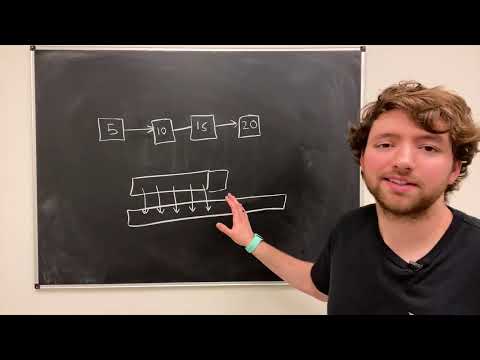
In this section we will discuss a second data structure commonly used in programming. This data structure, known as a linked list, consists of nodes that are chained together. Think of a linked list as being similar to a row of posts in the ground with ropes tied between them. Each post is connected to at most two others — the one behind and the one in front.
There are typically two types of linked lists. In a singly linked list, each node knows only about the next node in the list — it has no knowledge of the node before it. In a doubly linked list, each node knows both its previous and its next node. Consider the following images illustrating the two types:
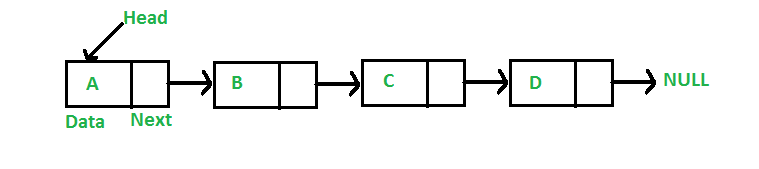
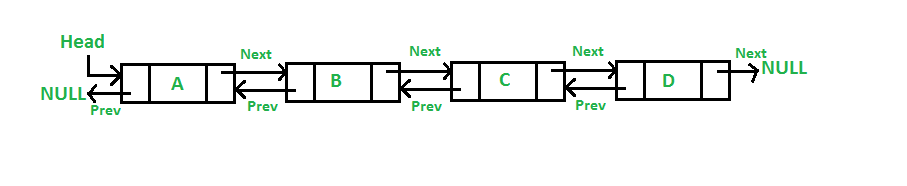
In the top image we see a singly linked list — each node has a link (arrow) to the next node, but once we move forward we cannot go back. Doubly linked lists solve this at the cost of slightly more memory, since each node must maintain a link to both directions. This allows traversal in either direction.
Now let us consider how to implement a linked list in C. The first step is to define a struct for our nodes:
// Define our struct for our nodes
typedef struct node {
    int value;
    struct node* next;
} node_t;

// Create our first node
node_t* head = NULL;
head = (node_t*) malloc(sizeof(node_t));
if (head == NULL) {
    return 1;
}
head->value = 42;
head->next = NULL;
The struct defines a value property and a recursive next pointer that links to the following node.
This node is typically called the head and represents the front of the list.
When traversing a linked list, we start at the head and move to the next node all the way down to the tail.
To add another node, we simply change the ->next property:
// Create the list with a head node
node_t* head = NULL;
head = (node_t*) malloc(sizeof(node_t));
if (head == NULL) {
    return 1;
}
head->value = 42;

// Add a new node onto the linked list
head->next = (node_t*) malloc(sizeof(node_t));
head->next->value = 43;
// Set the node after our new one to NULL
head->next->next = NULL;
We can repeat this process as many times as we like, adding as many nodes as we see fit.
Now let's consider how to traverse the linked list.
Note that what we have created so far is a singly linked list.
For it to be a doubly linked list, we would need to add a prev pointer to each node.
void print_linked_list(node_t* head) {
    node_t* position = head;
    while (position != NULL) {
        printf("%d\n", position->value);
        position = position->next;
    }
}
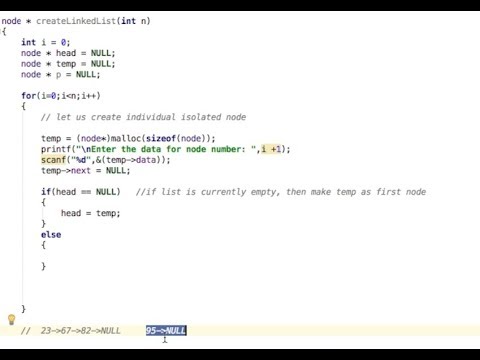
We create a separate iterator pointer (rather than moving head itself — losing the head would mean losing the entire list).
The while loop prints the current value and advances the iterator using ->next until we reach NULL.


Section 3: Stacks and Queues
Two of the basic data structures you will encounter are stacks and queues. To consider stacks, let's think of a real-world example: a stack of books.

With a stack of books, when you add a new book you add it to the top of the pile. Adding one in the middle or bottom requires shifting the books above it out of the way. Computer science stacks behave the same way — elements are added to and removed from the "top". We can only access the last-added element at any given time, giving stacks the property of Last In, First Out (LIFO).
To implement a stack we need three operations: push (add an element), pop (remove the top element), and peek (view the top element without removing it). Consider the following C implementation:
#include <stdio.h>
#include <stdlib.h>

#define SIZE 100
int top = -1, inp_array[SIZE];
void push();
void pop();
void peek();

int main(){
    int choice;
    while (1){
        printf("Interact with your stack:\n");
        printf("1.Push  2.Pop  3.Peek  4.End\n");
        printf("Enter the choice: ");
        scanf("%d", &choice);
        switch (choice){
        case 1: push(); break;
        case 2: pop();  break;
        case 3: peek(); break;
        case 4: exit(0);
        default: printf("\nInvalid choice!!");
        }
    }
}

void push(){
    int x;
    if (top == SIZE - 1){ printf("\nOverflow!!"); }
    else {
        printf("\nEnter element to push: ");
        scanf("%d", &x);
        inp_array[++top] = x;
    }
}

void pop(){
    if (top == -1){ printf("\nUnderflow!!"); }
    else { printf("\nPopped element: %d", inp_array[top--]); }
}

void peek(){
    if (top == -1){ printf("\nUnderflow!!"); }
    else {
        printf("\nStack contents:\n");
        for (int i = top; i >= 0; --i)
            printf("%d\n", inp_array[i]);
    }
}
push() checks for room then adds an element to the top.
pop() checks for an existing element then removes the top one.
peek() checks for elements then displays them without removing them.
Queues are a similar data structure but work in reverse. Think of a queue like a line of people at a bank — people join at the back and are served from the front. This gives queues the property of First In, First Out (FIFO). The operations are enqueue (add to the back) and dequeue (remove from the front):
#include <stdio.h>
#include <stdlib.h>

#define SIZE 100
void enqueue();
void dequeue();
void show();
int inp_arr[SIZE];
int Rear = -1, Front = -1;

main(){
    int ch;
    while (1){
        printf("1.Enqueue  2.Dequeue  3.Display  4.Exit\n");
        scanf("%d", &ch);
        switch (ch){
        case 1: enqueue(); break;
        case 2: dequeue(); break;
        case 3: show();    break;
        case 4: exit(0);
        default: printf("Incorrect choice\n");
        }
    }
}

void enqueue(){
    int insert_item;
    if (Rear == SIZE - 1){ printf("Overflow\n"); }
    else {
        if (Front == -1) Front = 0;
        printf("Element to insert: ");
        scanf("%d", &insert_item);
        inp_arr[++Rear] = insert_item;
    }
}

void dequeue(){
    if (Front == -1 || Front > Rear){ printf("Underflow\n"); return; }
    else { printf("Element dequeued: %d\n", inp_arr[Front++]); }
}

void show(){
    if (Front == -1){ printf("Empty Queue\n"); }
    else {
        printf("Queue: ");
        for (int i = Front; i <= Rear; i++) printf("%d ", inp_arr[i]);
        printf("\n");
    }
}
Notice that the queue needs two pointers: one to the front and one to the back.
enqueue() adds to the back; dequeue() removes from the front; show() is the queue's equivalent of peek.
Try implementing both yourself in the coding environment above!




Section 4: Doubly-Ended Queues (Deques)
In the previous section we considered stacks and queues as opposites of each other. There exists a variation that combines both: the deque (doubly-ended queue). Unlike a stack or queue, a deque allows adding and removing elements from either the front or the back.
Think of a deque as a tube containing marbles with both ends open. From either end you can add a marble or pull out the nearest one — but you cannot access marbles in the middle directly.

Here is a C implementation of a deque using a circular array:
#include <stdio.h>
#include <stdlib.h>

int maximum = 10;
int deque[10];
int front = -1, back = -1;

int full()  { return ((front == 0 && back == maximum-1) || (front == back+1)); }
int empty() { return (front == -1); }

void addFront(int key) {
    if (full()) { printf("Deque is full.\n"); return; }
    if (front == -1) { front = 0; back = 0; }
    else if (front == 0) { front = maximum - 1; }
    else { front = front - 1; }
    deque[front] = key;
    printf("Inserted %d at front.\n", key);
}

void insertBack(int key) {
    if (full()) { printf("Deque is full.\n"); return; }
    if (back == -1) { front = 0; back = 0; }
    else if (back == maximum - 1) { back = 0; }
    else { back = back + 1; }
    deque[back] = key;
    printf("Inserted %d at back.\n", key);
}

void deleteFront() {
    if (empty()) { printf("Deque is empty.\n"); return; }
    int removed = deque[front];
    if (front == back) { front = -1; back = -1; }
    else if (front == maximum - 1) { front = 0; }
    else { front = front + 1; }
    printf("Deleted %d from front.\n", removed);
}

void deleteBack() {
    if (empty()) { printf("Deque is empty.\n"); return; }
    int removed = deque[back];
    if (front == back) { front = -1; back = -1; }
    else if (back == 0) { back = maximum - 1; }
    else { back = back - 1; }
    printf("Deleted %d from rear.\n", removed);
}
We create our array in memory with a maximum size and maintain both front and back indices. We declare functions for adding and removing from both ends. We could also define peek functions for either end, and could use heap allocation via pointers for a larger deque or non-primitive types.

Section 5: Trees
Now we are going to look at a more advanced data structure that is incredibly common: the tree. Trees are modelled after trees in nature — a base that branches into a series of branches extending upward, ending in leaves. This section introduces trees theoretically. For specific tree implementations, see the links and videos provided below.
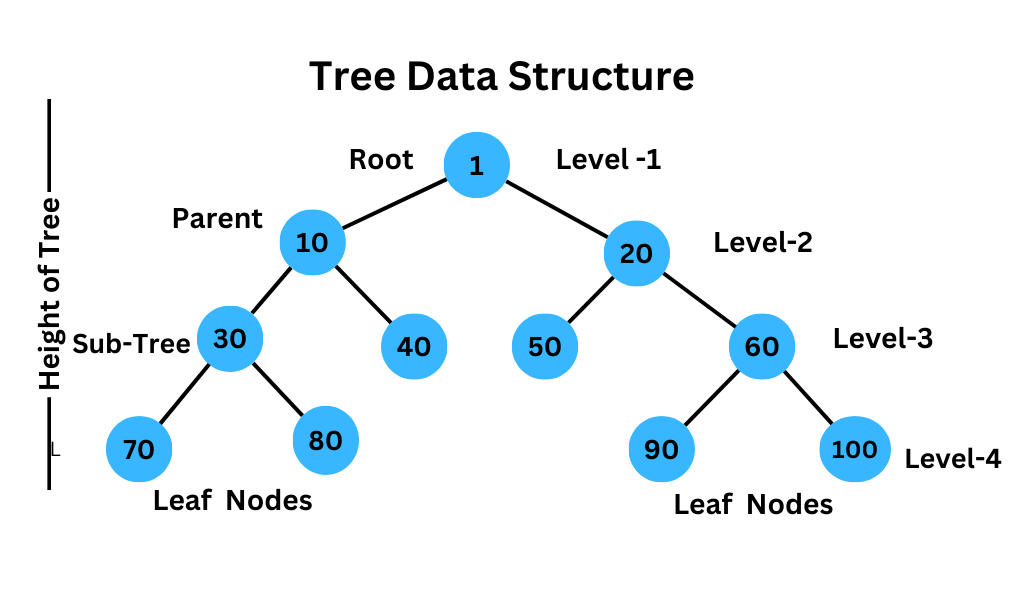
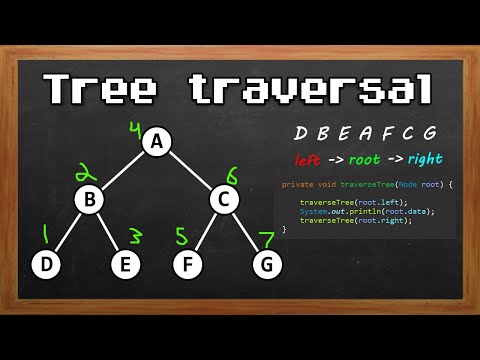
In this image we see a basic tree. At the very top is a singular root node. Just like a linked list, trees are comprised of nodes connected together via references. Below the root are its children, which also have children, all the way down to the leaf nodes at the bottom — nodes with no children. In this example, each node has at most 2 children, making it a binary tree. Not all trees are binary; some allow three or more children, or have no specific maximum.
Each node tracks its parent as well as its children.
The root's parent connection is NULL; leaf nodes' child connections are NULL.
Each node has a subtree of nodes hanging below it.
Below is an implementation of a basic binary tree in C:
#include <stdio.h>
#include <stdlib.h>
#include <string.h>

typedef struct node {
    struct node* left;
    struct node* right;
    char* string;
} node;

node* root; // initialized to NULL

int insert(const char* string, node* root) {
    int num = strcmp(root->string, string);
    node* temp;
    for (;;) {
        if (0 == num) return 1; // duplicate — ignore
        else if (-1 == num) {
            if (NULL == root->right) {
                temp = malloc(sizeof(node));
                temp->left = temp->right = NULL;
                temp->string = strdup(string);
                return 2;
            } else { root = root->right; }
        } else if (NULL == root->left) {
            temp = malloc(sizeof(node));
            temp->left = temp->right = NULL;
            temp->string = strdup(string);
            return 2;
        } else { root = root->left; }
    }
}

void print(node* root) {
    if (root->left  != NULL) print(root->left);
    fputs(root->string, stdout);
    if (root->right != NULL) print(root->right);
}

int main() {
    char line[100];
    while (fgets(line, 100, stdin)) { insert(line, root); }
    print(root);
    return 0;
}
We define a node struct, then an insert function that keeps the tree ordered and ignores duplicates,
and a print function that performs an in-order traversal (left subtree → current node → right subtree).
Many variations of trees exist; the links and videos below cover the most common ones.
Regular Trees

Binary Search Trees



Red-Black Trees


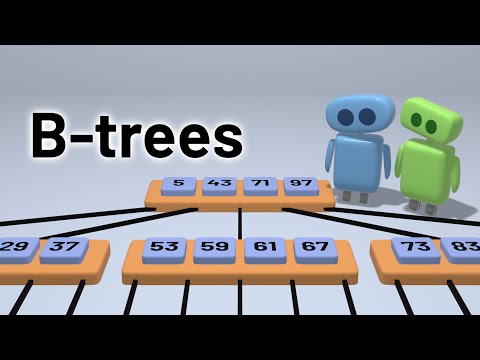
B-Trees

Section 6: Graphs
In this section we will discuss graphs — the last of our primary forms of data structures. Graphs are very similar to trees in terms of their components: nodes connected together with edges. However, unlike a tree, a graph does not have a specific root node, nor are there explicitly leaf nodes. We can take any node as a temporary "root" and consider the others connecting to it, but it will not form a tree precisely.
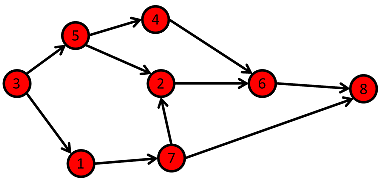
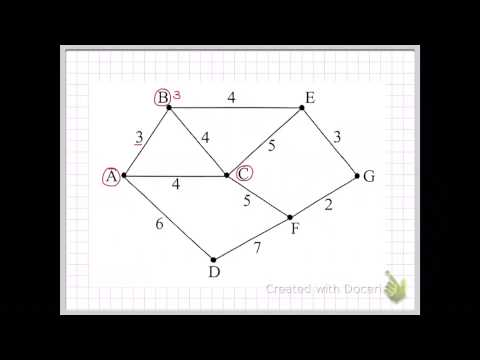
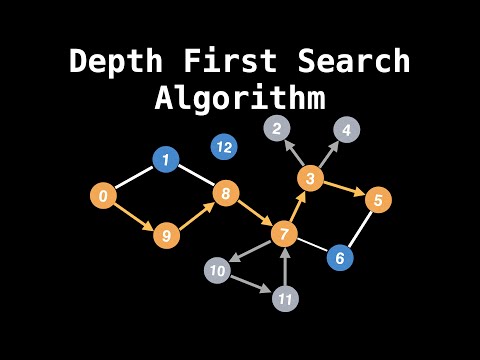
This section is organised into three parts. First we discuss the basics of graphs. Second, we cover graph traversals — algorithms for exploring a graph, such as Breadth First Search (BFS) and Depth First Search (DFS), useful for checking whether a specific value exists on the graph. Finally, we discuss finding the shortest path between any two nodes on a graph.
Graph Basics

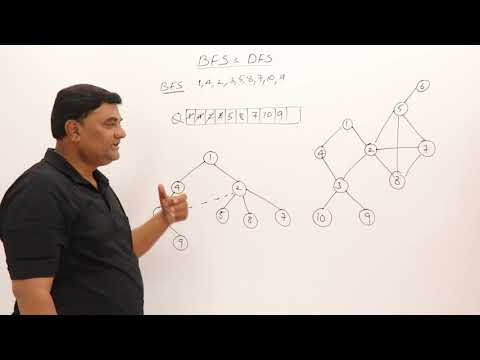
Breadth First Search (BFS) & Depth First Search (DFS)




Shortest Path on a Graph